
Step-by-step examples
Free Excel sheets! Looking for clear, step-by-step examples in Excel? Examples that you can immediately apply to your own situation? Then check out the instructions below. Please note that we regularly update this page with new instructions. If you have a question yourself, feel free to contact us. Download the instructions below and quickly teach yourself Excel tips and tricks.
Automatically name worksheets
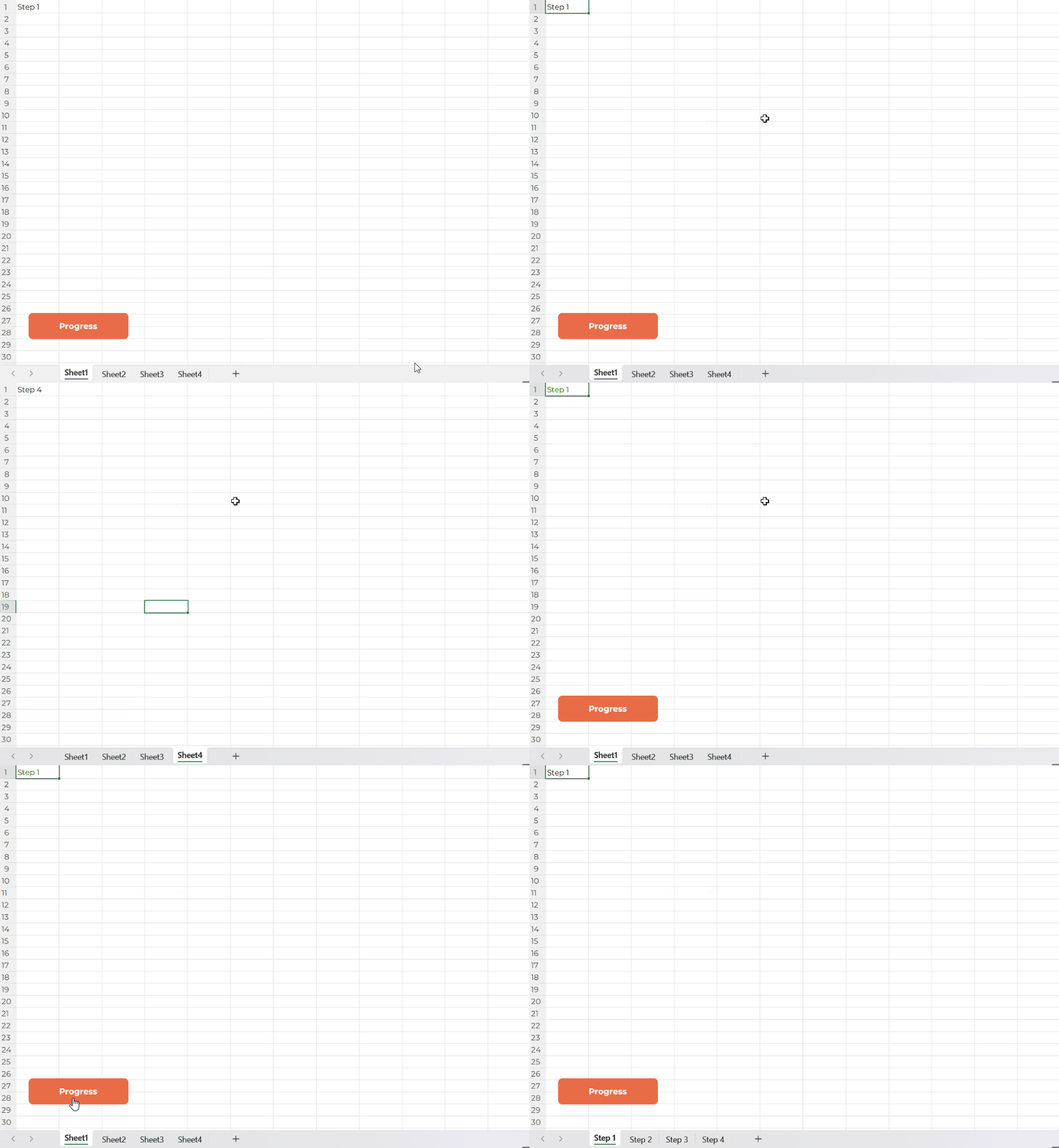
Click the Progress button and watch a VBA macro instantly do the work for you. It automatically renames every worksheet based on the value in cell A1, no manual effort needed. Download the file and see how a single click can adjust your entire workbook in a second.
Version control
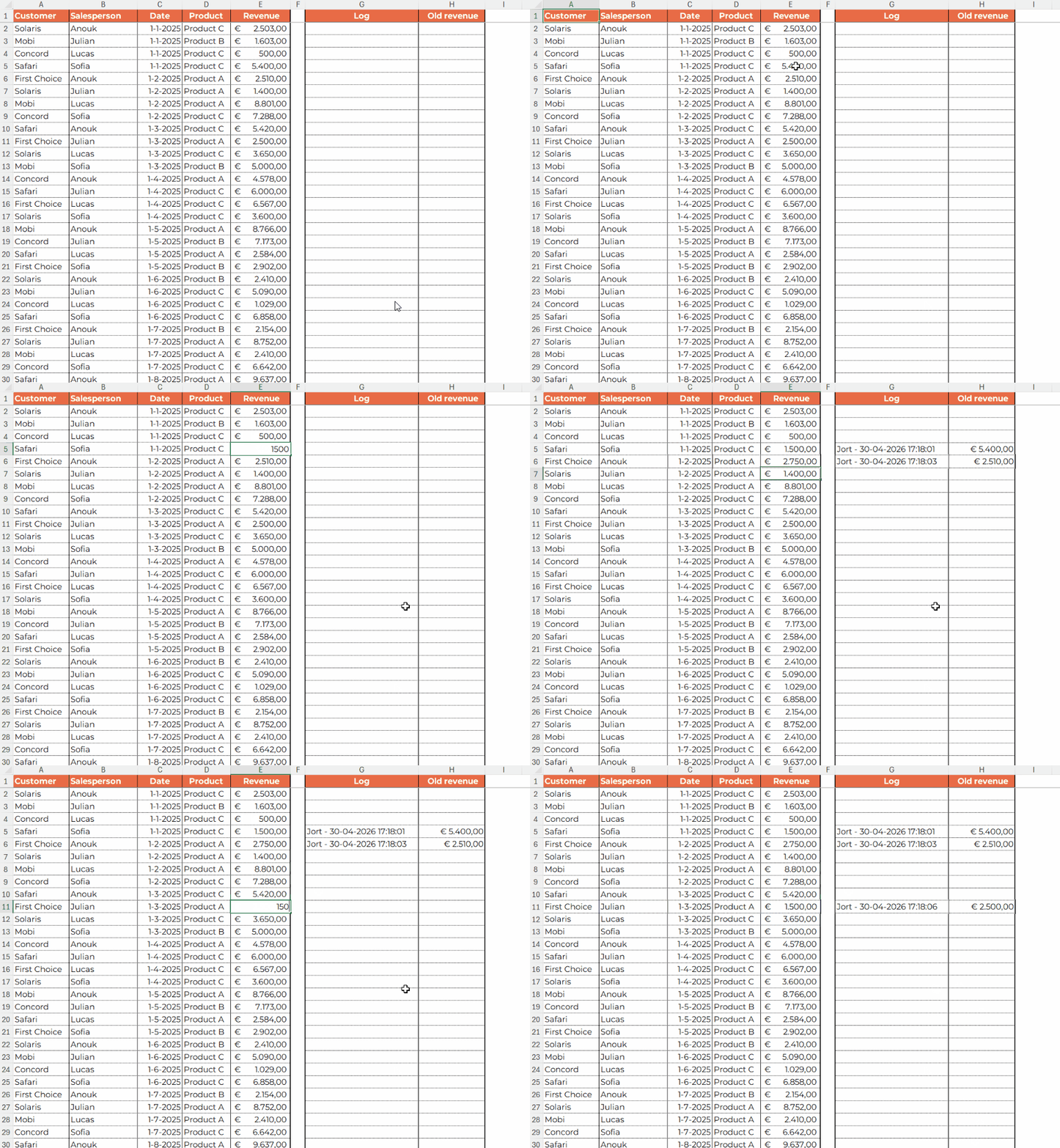
This file automatically tracks who made changes, so you always have full control and transparency. You can instantly see what the previous amount was, preventing errors and confusion. A clear, step-by-step guide helps you get started quickly without any hassle.
Would you like to explore the full potential of Excel, get a tailor-made Excel file, follow a custom-made Excel or Excel and AI training?
Get in touch with us to discuss the possibilities.